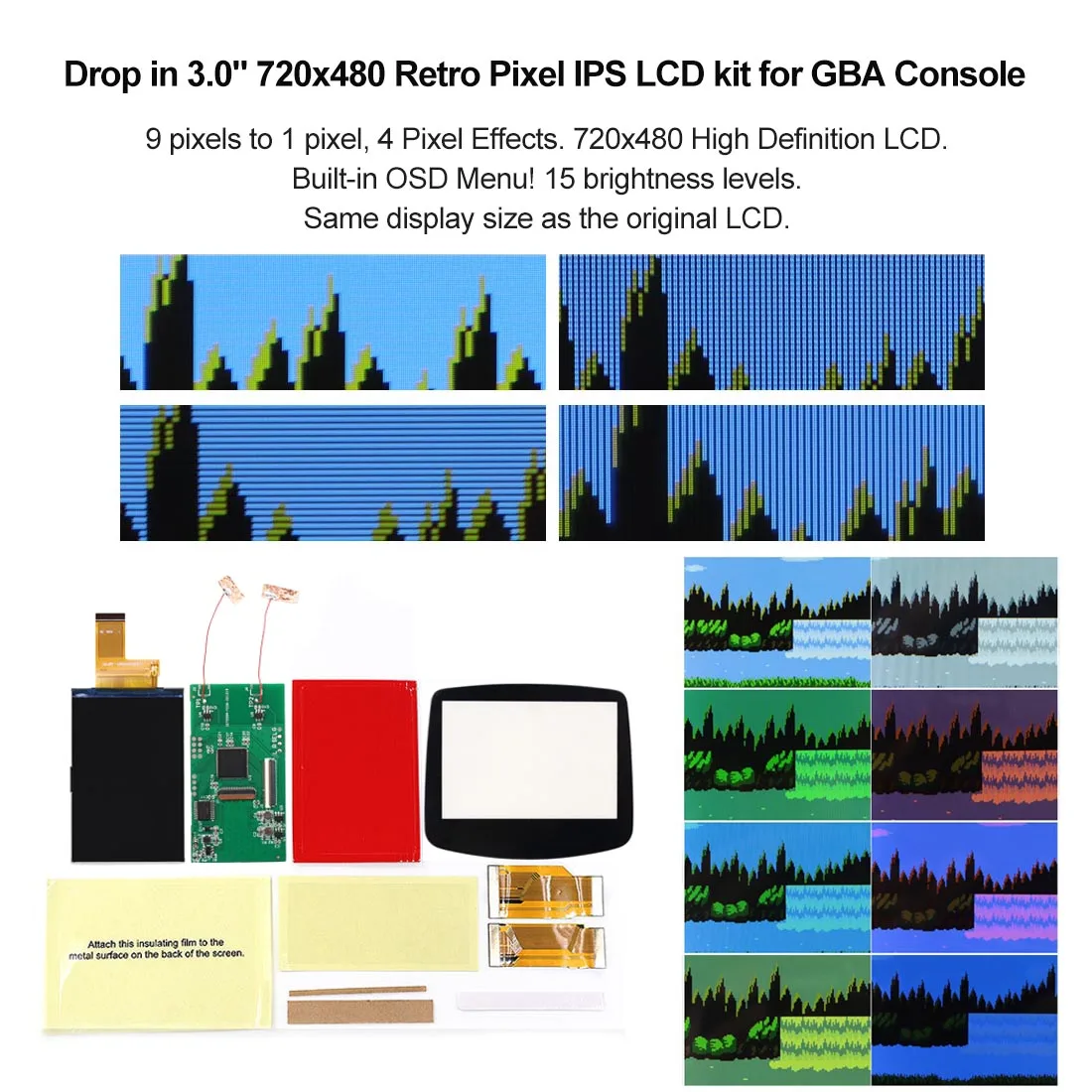
HISPEEDIDO GBA V5 IPS Drop-in LCD Screen Kit 720x480


HISPEEDIDO GBA V5 IPS Drop-in LCD Screen Kit 720x480
- Free worldwide shipping
- Pre-ship QC
- Tracked delivery
- Arrives Nov 4 – Nov 13
- Import duties included
Defective, damaged or wrong item? Free replacement or refund — just send us a short video. Details
Product details & specifications
Upgrade your Game Boy Advance with a sharp 720x480 HD IPS drop-in screen kit.
- Pre-laminated glass screen, 720x480 with integer scaling and 178-degree viewing angle
- Built-in OSD menu: 15 brightness levels, 8 color modes, FRM on/off
- Retro pixel and scanline effects, including an original AGS-101 style mode
- Fits 32-pin and 40-pin motherboards; 3 wires to be soldered for OSD control
- LCD kit only, console not included
SPECIFICATIONS
Accessories Type: Accessory Kits
Bluetooth range: N
Cable features: Retractable
Compatible Brand/Model: Nintendo
Compatible Nintendo Model: GameBoy Advance
Control Method: Push button
Controls Type: Push button
Electric: No
Enclosure material: Plastic
Fastening type: Others,Screw
Harness Feature: Others
High-concerned chemical: none
Model Number: For GBA
Occasion: Others
Origin: Mainland China
Platform: Other
Portable: Yes
Reusability: Reusable
Sensor Technology: Others
With USB: no
Description:
1. 720x480 display resolution. HD LCD. 9 pixels to 1 pixel. Integer scaling. No any distortions.
2. Wide View angle up to 178 degree.
3. Pre Laminated Glass Screen.
4. The PCB has been embedded in the LCD metal shell.
5. Built-in OSD Menu!
6. Retro pixel Effects: Normal, Retro pixel (like original AGS-101 LCD), Scanline 1 and Scanline 2.
7. 15 brightness levels.
8. 8 color modes.
9. FRM On/OFF function(Frame blending On/OFF) is included. For some extremly few games, the image effect will be better when FRM turned on. For most games, No need to turn on FRM Function. The default FRM is OFF.
10. Touch Screen to change the brightness and the color modes.
11. Compatible 32pin and 40pin motherboard.
*You need to welding 3 wires to control the OSD Menu*
New firmware has added the following function:
1. Add Desaturation function!
Adjust the desaturation to make the picture more like the original GBA. Desaturation from 0 to 20. Desaturation=20 is normal color. Desaturation=0 is black & white.
2. Add 'Touch Shourtcut ON/OFF' function!
Set 'Touch Shourtcut' OFF to avoid auto cycling colour modes.
OSD Menu Operation:
-Press the Select+L+R buttons for 1 second at the same time, then release the buttons to activate the OSD Menu.
-Press the Select button to select the adjustment item when OSD Menu activated.
-Press the L or R button to adjust the item when OSD Menu activated.
You don't need to do any welding if you don't want the OSD menu!